40
🔥 Free Fire Nicknames
Free Fire Stylish Name — Urdu FF Name, Space, Symbols
Free Fire stylish name is a set of symbols, frames and stylised letters for character names in Free Fire to make names bolder than plain text. Includes frames like ꧁꧂ and 𓆩𓆪, letters like ɴɪᴋʜɪʟ, and symbols like ×͜× and ♛. Free Fire stylish name works by copying from the table and pasting into the rename box, with no extra app to install.
Symbol library
Kaomoji & Emoji for Free Fire names
Tap to copy, or use the Keyboard tab in the tool to insert directly into a name.
Name library
Free Fire nicknames by the community
Submitted and rated by the CoolNickname community — 60 names listed here, sorted by votes. Tap any name to copy, ♥ to help the best ones rise to the top.
36
20
14
11
10
10
9
9
9
9
8
8
7
7
7
7
7
6
6
6
6
6
5
5
5
5
5
4
4
4
4
4
4
4
3
3
3
3
3
3
3
3
3
2
2
2
2
2
2
2
2
2
2
2
2
2
2
2
2
2
2
2
1
1
1
1
1
1
1
1
1
1
1
1
1
1
1
1
1
1
1
1
1
1
1
1
1
1
1
1
1
1
1
1
1
1
1
1
1
1
1
1
1
1
1
1
1
1
1
1
1
1
0
0
Your turn
Submit a nickname for Free Fire
your name here
Pending review — thank you for contributing!
Type your name in the generator above to style it, or tap any ready-made name below to copy it, then paste it into Free Fire’s Rename box. Everything is free, checked against the current Free Fire OB55 update (released 16 September 2026), and built by CoolNickname. Playing in Urdu or Hindi? Try our Urdu stylish name maker too.
×͜× decorated names & Free Fire symbols
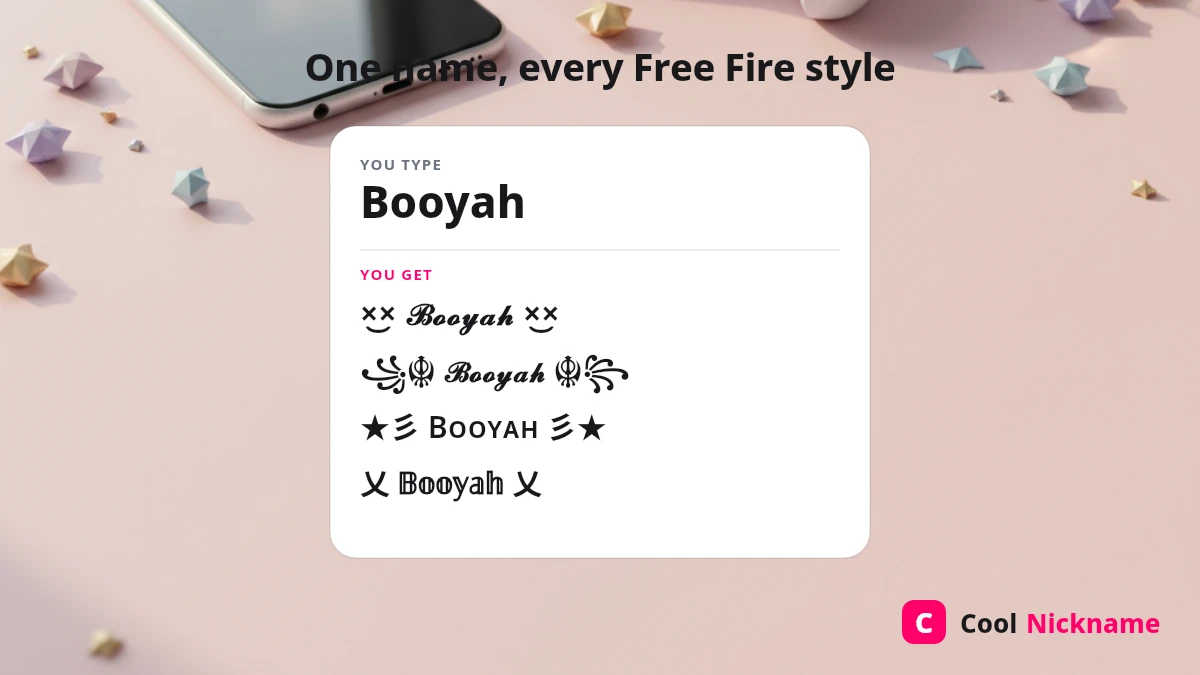
The ×͜× “cross-eyes” face and the ꧁ ꧂ lantern frame are the signature Free Fire look. Tap a ready-made style to copy:
Frame pairs and single symbols on their own — paste your name between the two halves of a frame:
Copy these Free Fire symbols to wrap around your own name:
Free Fire stylish names for boys
Bold, attitude-heavy names are the top picks for boys. Tap any to copy — each uses a different Free Fire style so nothing looks templated.
The single most-used word in this group is Alone; if that is the look you are after, we keep a full alone boy stylish name collection with the ×͜× lobby styles, the sad and attitude sets, and the Urdu spellings.
Free Fire stylish names for girls
Cute and royal names for girl players — softer frames like ★彡 and ꧁☆☬ suit them best.
Free Fire girl name style queen — top 10
Here are ten queen names, listed from the simplest frame (first) to the most decorated (tenth); each uses a different frame so two friends can both be “Queen” without matching exactly.
More queen styles for girl players:
Free Fire love names
A Free Fire love name pairs the ×͜× or heart frames with a love word — Love, Jaan, Ishq, Pyar — and is often used as a matching duo name with a partner. These 15+ styles cover the free fire name style top 100 love search in one tap each.
Free Fire guild & clan names
Guild names read best in ALL CAPS with a matching clan tag. Copy a ready-made guild name:
Urdu Free Fire names
An Urdu Free Fire name is a nickname written in Urdu script — سکون, بادشاہ, شہزادی — framed with Free Fire symbols such as ×͜×, ♛ or ꧁ ꧂. Urdu letters have no bold or fancy Unicode alphabet, so the style always comes from the frame, not the letters. Free Fire draws Arabic-script letters because the game is localised for Arabic-speaking regions, but a few Urdu-only letters (ٹ ڈ ڑ ں ے) can appear as boxes on some devices — check the preview in the Rename box before you spend a Rename Card.
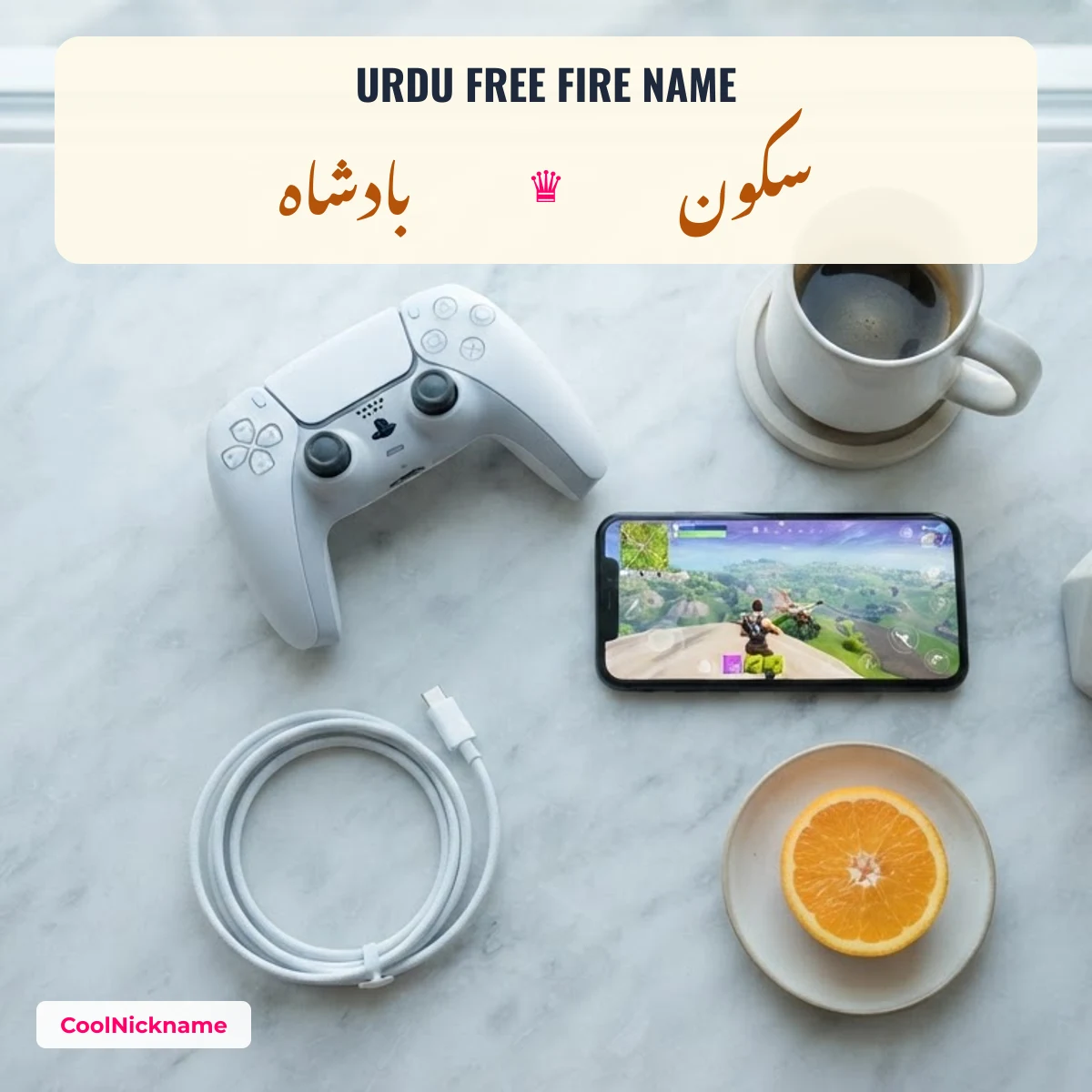
To turn an English name into Urdu letters first, use the Urdu stylish name maker and then add one of the frames above. Keep Urdu names to one or two words: the name box is short and right-to-left text mixed with symbols can reorder itself.
FF name style for Nepali boys
A Nepali FF name style uses Nepali words such as Gorkhali, Kancha (“young man”), Dai (“big brother”) or Pahadi (“from the hills”), in English letters or in Devanagari (गोर्खाली, नेपाली). Devanagari renders in Free Fire on most phones, but test the preview first, the same as with Urdu.
Hacker-style Free Fire names
Hacker style is only a look — monospace “code” letters, ⁴⁰⁴ and ▓ blocks — not a cheat. Using a hacker-style name is fine; using actual hacks can get an account banned under the game’s rules.
Free Fire logo name & “PC” clan tag
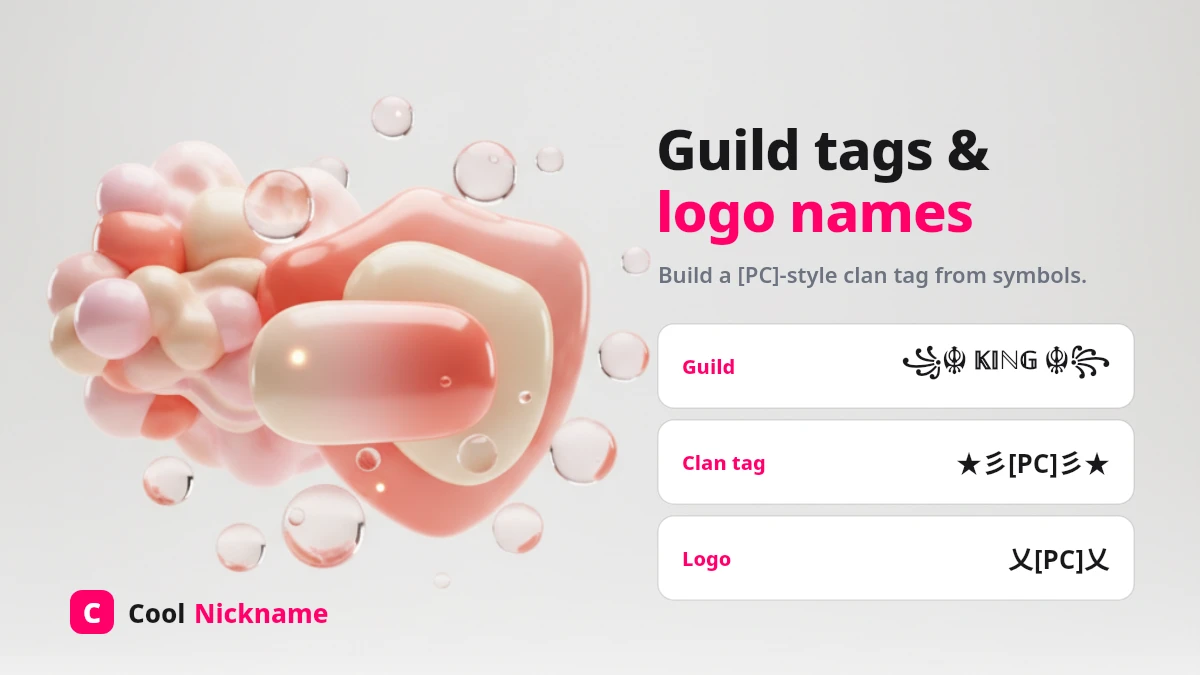
A Free Fire “logo name” is a clan tag styled to look like a small emblem in front of your name — while the separate search pc logo ff means something more specific: the Hangul letter 모 (U+BAA8), drawn like a small monitor and pasted on the end of a name as a “PC player” tag. We take that character apart on the PC name and 모 logo page. You cannot upload a picture as your name; instead you build the logo from characters. Tap a ready clan-tag style to copy, then add your name after it:
To design your own: pick a 2–4 letter tag (your guild’s initials), wrap it in a symbol frame from the list above, then place your styled name right after it, e.g. ༄ᶦᶰᵈ᭄[PC] 𝓢𝓷𝓲𝓹𝓮𝓻 ࿐.
The clean one-word-plus-tag look behind the White 444 name has its own White 444 name style page with the number tags on their own.
Popular names in Free Fire style
Worked examples for names people search with “free fire name style”: each name in eight styles, from ×͜× to full ꧁༒☬ frames. Type your own name in the generator at the top to get the whole set for any name.
Nikhil Free Fire name style
Rahul Free Fire name style
Raj Free Fire name style
How to change your name in Free Fire
It takes under a minute:
- Copy a name above (or style your own in the generator).
- Open Free Fire and tap your avatar in the top-left to open your Profile.
- Tap the pencil / Rename icon next to your current name. Your first change is usually free; later ones need a Rename Card, bought with diamonds (the price is shown in the in-game store).
- Paste the copied name and tap OK — it updates instantly.
The Free Fire name box holds about 12 characters, and many fancy letters and combining marks use more than one of those slots, so a decorated name can hit the limit sooner than it looks. The box shows when you are over — trim a frame symbol first, then letters. (The exact count can change between updates; check it in the Rename box on your version.)
Blank name & “empty box” fixes
Blank / invisible name: Free Fire accepts the invisible space U+00A0 (a no-break space) for a fully blank name — copy this single invisible character:
(The older blank character U+3164 has been blocked since OB43, so use U+00A0 instead — still the working blank character on OB55, September 2026.) For spaced names and the other invisible characters with their codes, see the Free Fire space name page.
Empty boxes (▯): if your name shows square boxes in-game, that style uses a symbol Free Fire’s font cannot draw. Switch to a common bold, small-caps or ꧁ ꧂ frame style and it will render correctly.
Free Fire is a trademark of its owner. CoolNickname is an independent tool and is not affiliated with or endorsed by the game’s publisher.
Free Fire stylish name FAQs
Are Free Fire stylish names free?
Yes — creating and copying names here is completely free. Inside Free Fire, your first rename is usually free; later name changes need a Rename Card, which costs diamonds.
What is the ×͜× symbol in Free Fire names?
The ×͜× “cross-eyes” face is a decorative Unicode combination players place around their name. Tap the decorated examples above to copy it — it works in the in-game name box.
How do I make a Free Fire logo name?
You build it from characters, not a picture: take a short clan tag like [PC], wrap it in a symbol frame (꧁༒ ༒꧂), and put your styled name after it. See the logo / PC clan-tag section above.
Why is my Free Fire name showing empty boxes?
That style uses a symbol the game’s font cannot draw on your device. Pick a more common bold, small-caps or ꧁ ꧂ frame style and it will display correctly.
Can I write my Free Fire name in Urdu?
Yes — paste an Urdu word such as سکون or بادشاہ into the Rename box and add a frame like ×͜× or ♛. Most Arabic-script letters display in the game; a few Urdu-only letters may show as boxes on some phones, so check the preview before confirming.
How many characters can a Free Fire name have?
About 12 characters. Fancy letters and symbols can count as more than one, so decorated names reach the limit faster — the Rename box shows when you are over.
How do I get a blank Free Fire name?
Copy the invisible U+00A0 space from the “Blank name” section above and paste it as your whole name. The old U+3164 blank was blocked in OB43, so U+00A0 is the one that still works.
Was this page helpful?
Your vote helps the community rank and improve this page.
Thanks for your feedback! 💖
Thanks! We will keep improving 🙏

People also search for
Popular Free Fire searches
Fresh on CoolNickname
Recently updated nicknames
New names and votes are added by the community every day.