
Nicknames
Malik Stylish Name — Meaning & Styles
Malik stylish name is Malik written with two-sided frames, substituted letters and trim so the name reads bolder than plain text. For…
Read guideCoolNickname is a free stylish name maker and fancy text generator: type your name, pick Fancy for stylish Unicode fonts or Keyboard to insert symbols, kaomoji and emoji yourself, then copy the result in one tap for Free Fire, Instagram or TikTok.
Hand-picked from the hottest topics, tap any to copy.
Ranked by the community's likes and copies.
Top-rated nicknames from the most-viewed topics — tap any to copy.
From games to styles — pick a theme and jump straight to names you can copy.
Click to copy, or use the “Keyboard” above to insert directly into a name.
Hand-curated nickname collections and step-by-step guides for popular games.
Malik stylish name is Malik written with two-sided frames, substituted letters and trim so the name reads bolder than plain text. For…
Read guide
Deepak stylish name is Deepak written with two-sided frames, substituted letters and trim so the name reads bolder than plain text. For…
Read guide
Karan stylish name is Karan written with two-sided frames, substituted letters and trim so the name reads bolder than plain text. For…
Read guide
Ajay stylish name is Ajay written with two-sided frames, substituted letters and trim so the name reads bolder than plain text. For…
Read guide
Urdu stylish name for TikTok is a group of emoji and symbols around Urdu names like ریحان and ہانیہ that read as…
Read guide
Danger stylish name is a set of symbols, frames and stylised letters for character names in Free Fire to make a name…
Read guideCoolNickname uses standard Unicode, so a name you style here works across games and social apps.
CoolNickname is built on respect for its users. Generate as many nicknames as you like without worrying about your personal data being collected or tracked.
CoolNickname is a free stylish name maker and fancy text generator: type any name or word and it instantly rewrites every letter into dozens of stylish Unicode styles — cursive script, bold, small caps, gothic and decorated frames like ꧁༒☬꧂ — that you copy and paste in one tap. There is no sign-up, it works the same on phone and desktop, and every style is standard Unicode, so the name you build here looks identical for everyone who sees it. Use the generator at the top of the page to style your own name, or copy any of the ready-made examples below.
A stylish name maker is a tool that converts ordinary text into fancy, decorated characters using Unicode — the same character standard behind every emoji. It does not install a new font on your device; instead it swaps each normal letter for a look-alike symbol that already exists in Unicode (for example, a plain a becomes the cursive 𝓪 or the bold 𝗮). Because these are real characters and not images, a styled name can be pasted straight into a game lobby, an Instagram bio or a TikTok display name and will render for other people too.
CoolNickname bundles 19 fancy font styles, a symbol-and-kaomoji keyboard and a curated library of decorative frames in one place, so you can go from a plain name to a finished stylish name in a couple of taps.
Tap any name below to copy it, then paste it wherever you need it. Each group answers a popular request — from a simple cool nickname to a welcome to my profile banner — in the fonts people actually use — cursive, fraktur, double-struck, small caps — plus two decorated variants chosen to suit that particular mood.
Looking for one specific mood instead? We keep dedicated collections for the words people search most: the alone boy name collection for the solitary, attitude-heavy look, love, jaan and my life stylish names, and Sukoon-e-Qalb for the calm Urdu side.
For a clean, all-purpose cool nickname, bold and small-caps styles read best in game lobbies and stay readable on leaderboards.
A stylish “Welcome to my profile” makes a great pinned banner for TikTok, Instagram or a gaming bio — pair one of these with a heart or star frame from the section below.
Cursive and script styles give the softest, most “beautiful” look and are the most-copied choice for girls’ names and aesthetic bios.
A romantic favourite for couple accounts and status names — copy “My World” in a flowing script and add a ♡ frame.
Cute and cursive “Wifey” styles are popular for couple bios and matching display names.
Masoom (معصوم, “innocent”) is a much-searched Urdu/Hindi vibe word — here it is in several stylish looks ready to copy.
Fancy “Good Morning” text is handy for daily status updates and story stickers — bold and script versions stand out most.
Every topic below has its own page with hundreds of ready names. Writing in Urdu? The full stylish name Urdu set covers Nastaliq names, English to Urdu and Sukoon-e-Qalb. Playing a game? The free fire stylish name page has ×͜× names, Urdu FF names and the blank-name character. Styling a profile? There are Urdu names for Instagram as well as English ones, with bio lines.
For a partner or a status, the love, jaan and my life stylish names cover Jaan, Hubby, Wifey and Bestie. For devotional lines in Hindi, see the Radhe Krishna stylish names — Radhe Radhe, Shiv sada sahayate and Mahadev.
Six of the names people search most with “stylish name”, each in eight styles. Type any other name in the generator at the top to get the whole set.
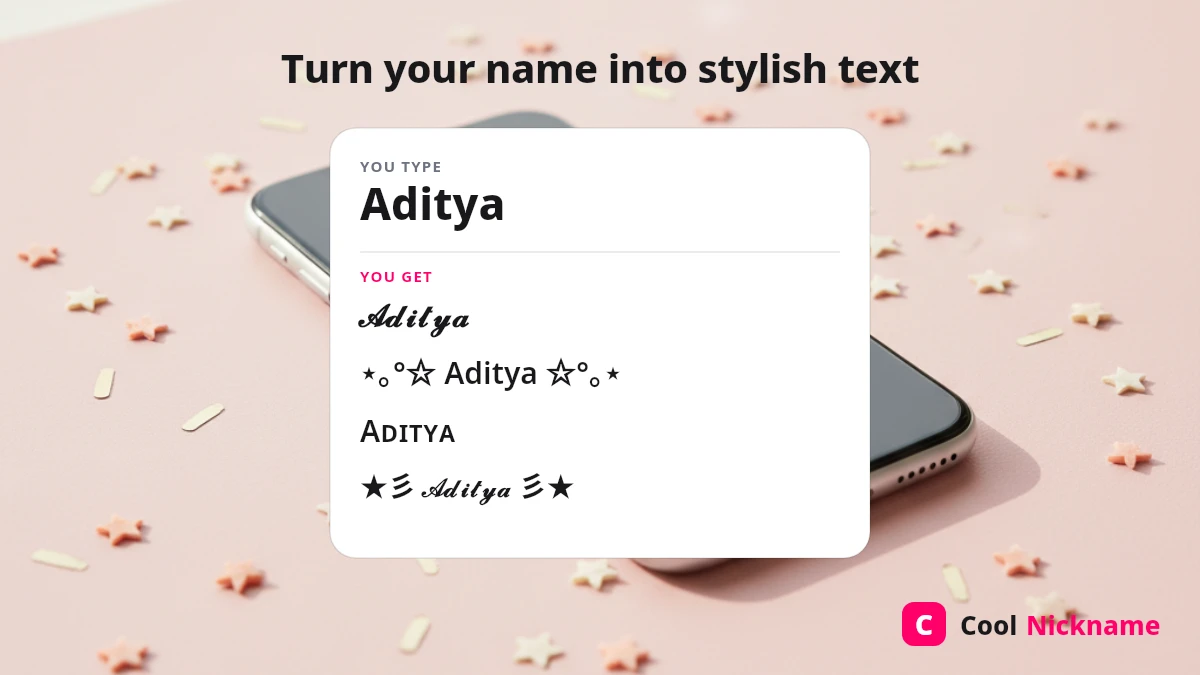
Some names have a full page of their own — meaning, Hindi and Urdu spelling, and the community’s most-liked versions: Ajay, Karan, Deepak, Malik, Yadav, Rohit, Sahil, Sonu, Aditya and Rahul.
Wrap a styled name in a decorative frame or sprinkle a few symbols around it. Tap any ornament to copy it, then paste it before and after your name (for example ★彡 𝓝𝓪𝓶𝓮 彡★). These are drawn from a large, community-favourite pool, so they suit gaming names as well as aesthetic TikTok and Instagram bios.
A “colour full” stylish name is not coloured lettering. Unicode stores the shape of a character and never its colour, so a fancy font always takes on whatever text colour the app around it uses — the same name is black in a document, white in a game lobby and pink on a themed profile. Real colour comes from what you place beside the name.
| What you add | Shows real colour? | Where it holds up |
|---|---|---|
| Emoji (🌈 💖 🔥) | Yes — the device draws these as colour images, not letters | Display names and bios on Instagram, TikTok, Discord and Facebook |
| Coloured block symbols (🟥🟧🟨🟩🟦🟪) | Yes — technically emoji, so they carry their own colour | Same as emoji; a neat way to build a gradient strip beside a name |
| Fancy Unicode fonts (𝓪 · ᴀ · 𝐚 · 𝔞) | No — shape only; it inherits the app’s text colour | Everywhere, which is exactly why it is the reliable layer |
| Free Fire colour codes | Only inside Free Fire — it is Garena’s own markup, not Unicode | The in-game Signature field; the nickname box does not take it |
That last row is worth stating plainly, because plenty of pages promise a “colour name” for Free Fire and quietly skip it: colour codes are a Free Fire feature rather than a text feature, they belong to the Signature field, and Garena publishes no official documentation for using them in a nickname. If a generator hands you a bracketed colour code to paste into your name, expect the raw code to appear as literal text. The symbol combos that do survive the Free Fire name box are listed further down, in the platform table.
So the practical recipe for a colourful name is a plain-but-styled base plus a small burst of colour on one side — one or two emoji, not six. Tap any set below to copy it, then paste it around your own styled name:
Two habits keep a colourful name looking sharp rather than cluttered: keep the emoji on one side only, so the name itself stays readable at leaderboard size, and check it once in the app you actually use — a handful of games strip emoji from names even when they accept symbols.
Fancy fonts only reshape the Latin alphabet, but decoration works in any script. For Urdu and Hindi the letters already have their own beautiful forms, so the trick is to frame the word rather than restyle it. Tap to copy:
Urdu names have a lane of their own, and it is the one people search hardest for — if that is what brought you here, the stylish name Urdu maker handles the right-to-left joining properly and carries a far deeper set of Urdu frames and shayari-style combos than the samples above. English names get the full range of fancy fonts shown above. If a symbol ever appears as an empty box (▯) on a phone or inside a game, it simply means that device has not installed a font for that character — pick a more common style and it will display correctly.

Mostly yes — because CoolNickname uses standard Unicode, one styled name travels across games and apps. There are a few honest limits worth knowing before you set it:
| Platform | Where it works | Good to know |
|---|---|---|
| Free Fire | In-game display name | Most fancy fonts and symbols work (current Free Fire update OB55, September 2026). For a fully blank name, games accept the invisible space U+00A0. See our free fire stylish name guide for combos that fit the name box. |
| Name, bio & story text | All styles work in the bio and the display name; the @username is limited to letters, numbers, dots and underscores. Our guide to Urdu names for Instagram and English bio styles covers each field in detail. | |
| TikTok | Display name & bio | Your display name accepts fancy fonts, but the @username does not — it only allows letters, numbers, underscores and periods. Style the display name, keep the handle plain. |
| PUBG / BGMI, Roblox, Discord | Names & bios | Broad Unicode support; if a rare symbol shows as a box, swap it for a common bold, script or simple frame. |
Game and platform names (Free Fire, Instagram, TikTok, PUBG, Roblox, Discord) are trademarks of their respective owners; CoolNickname is an independent tool and is not affiliated with or endorsed by any of them.
Tip: 8–14 characters with one or two symbols usually looks best and will not get cut off on a leaderboard.
Yes. You can create, copy and save unlimited stylish names with no account, no watermark and no fee. Styling happens in your browser, so the names you type are never sent to a server.
Cursive script (𝓪𝓮𝓼𝓽𝓱𝓮𝓽𝓲𝓬), small caps (ᴀᴇsᴛʜᴇᴛɪᴄ) and a soft frame such as ⋆。°✩ or ♡ are the most popular for aesthetic, kawaii and coquette-style bios in 2026.
An empty box (▯) means the app or device has no font for that particular character — it is a display issue on that device, not a broken name. Choose a more common bold, script or simple-frame style and it will render everywhere.
For the @username, no — those handles only allow letters, numbers, dots and underscores. But your TikTok/Instagram display name and bio do accept fancy fonts, so style those instead.
No, and that is deliberate. CoolNickname maps each letter you type to its Unicode counterpart, which means the same input always returns the same styles, instantly, without a server round-trip. Tools that route your name through a language model can invent characters that do not exist in a font, or hand back a different result each time you press the button. For styling a name, predictable beats creative — you want to know the name you copy is the name your friends will see.
Start from a theme rather than a font. Our nickname ideas by mood and vibe and the longer username ideas list give you a base word worth styling; bring it back to the generator at the top of this page and the styles will do the rest.
Yes. Urdu and Hindi names are decorated with frames and symbols rather than fancy fonts (their letters already have their own script), and the generator handles them alongside English.