7
🔥 Free Fire Nicknames
Free Fire Stylish Name — ×͜× Names & Symbols
Free Fire names with special characters, kaomoji and emoji — create your own with the tool, copy in one tap, and follow the in-game rename guide.
Symbol library
Kaomoji & Emoji for Free Fire names
Tap to copy, or use the Keyboard tab in the tool to insert directly into a name.
Name library
Free Fire nicknames by the community
Submitted and rated by the CoolNickname community — 53 names so far. Tap any name to copy, ♥ to help the best ones rise to the top.
4
3
3
3
2
2
2
2
2
2
2
2
2
2
1
1
1
1
1
1
1
1
1
1
1
1
1
1
1
1
1
1
1
1
1
1
0
0
0
0
0
0
0
0
0
0
0
0
0
0
Your turn
Submit a Free Fire nickname
your name here
Pending review — thank you for contributing!
A Free Fire stylish name is an in-game nickname built from fancy Unicode letters and decorative symbols — like ꧁༒☬ 𝓑𝓸𝓸𝔂𝓪𝓱 ☬༒꧂ or the classic ×͜× face — that makes you stand out in the lobby and the kill feed. Type your name in the generator above to style it, or tap any ready-made name below to copy it, then paste it into Free Fire’s Rename box. Everything is free, tested on Free Fire OB54 (July 2026), and built by CoolNickname. Playing in Urdu or Hindi? Try our Urdu stylish name maker too.
×͜× decorated names & Free Fire symbols
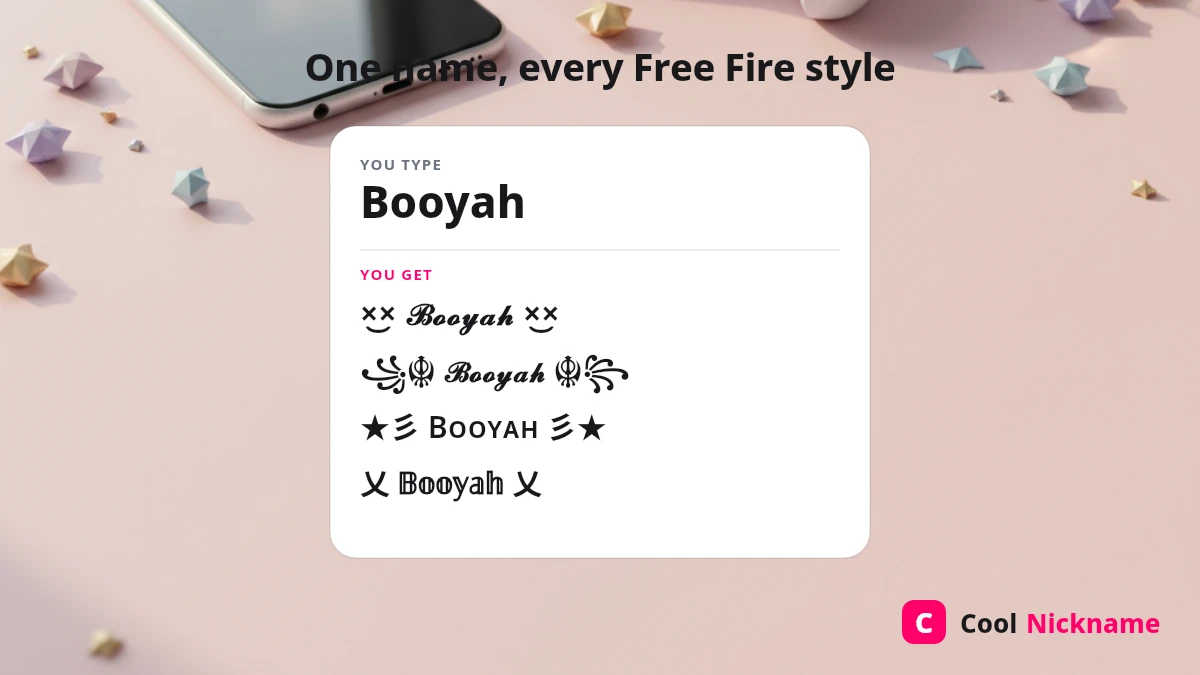
The ×͜× “cross-eyes” face and the ꧁ ꧂ lantern frame are the signature Free Fire look. Tap a ready-made style to copy:
Copy these Free Fire symbols to wrap around your own name:
Free Fire stylish names for boys
Bold, attitude-heavy names are the top picks for boys. Tap any to copy — each uses a different Free Fire style so nothing looks templated.
Free Fire stylish names for girls
Cute and royal names for girl players — softer frames like ★彡 and ꧁☆☬ suit them best.
Free Fire guild & clan names
Guild names read best in ALL CAPS with a matching clan tag. Copy a ready-made guild name:
Free Fire logo name & “PC” clan tag
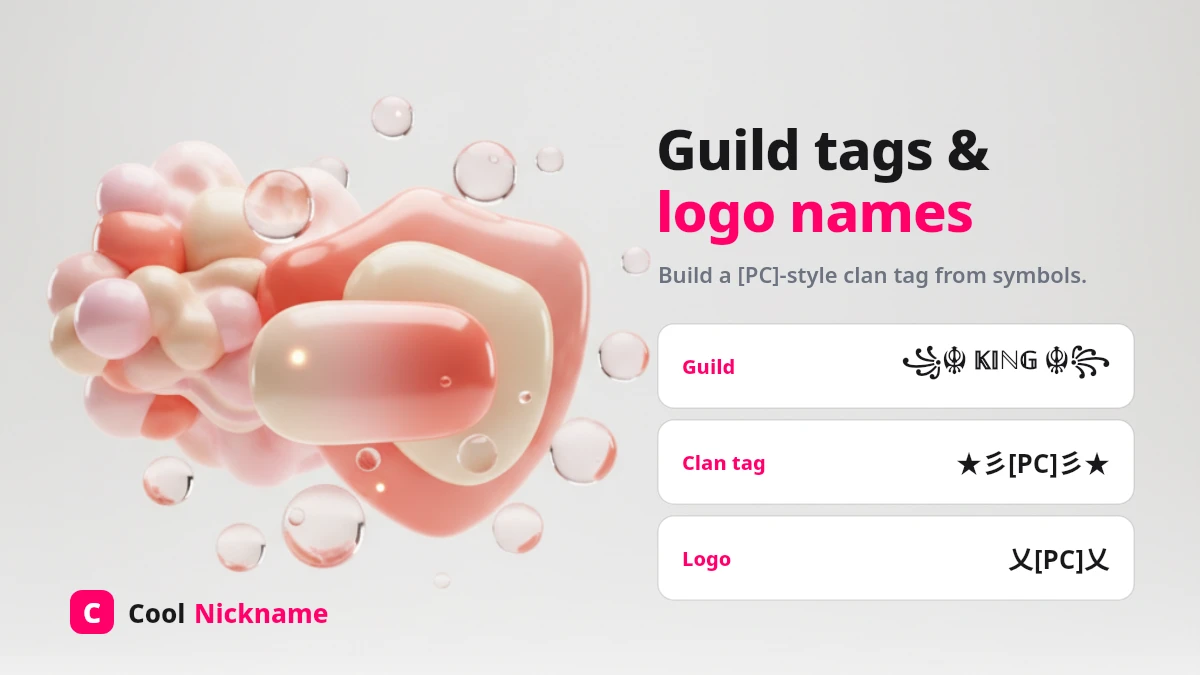
A Free Fire “logo name” is a clan tag styled to look like a small emblem in front of your name — the searched pc logo ff is simply the clan tag [PC] dressed up with symbols. You cannot upload a picture as your name; instead you build the logo from characters. Tap a ready clan-tag style to copy, then add your name after it:
To design your own: pick a 2–4 letter tag (your guild’s initials), wrap it in a symbol frame from the list above, then place your styled name right after it, e.g. ༄ᶦᶰᵈ᭄[PC] 𝓢𝓷𝓲𝓹𝓮𝓻 ࿐.
How to change your name in Free Fire
It takes under a minute:
- Copy a name above (or style your own in the generator).
- Open Free Fire and tap your avatar in the top-left to open your Profile.
- Tap the pencil / Rename icon next to your current name. Your first change is usually free; later ones need a Rename Card (about 390 diamonds).
- Paste the copied name and tap OK — it updates instantly.
Free Fire allows a limited name length (roughly 12–20 characters depending on the symbols), so keep decorated names short or they will be rejected.
Blank name & “empty box” fixes
Blank / invisible name: Free Fire accepts the invisible space U+00A0 (a no-break space) for a fully blank name — copy this single invisible character:
(The older blank character U+3164 has been blocked since OB43, so use U+00A0 instead — tested on OB54, July 2026.)
Empty boxes (▯): if your name shows square boxes in-game, that style uses a symbol Free Fire’s font cannot draw. Switch to a common bold, small-caps or ꧁ ꧂ frame style and it will render correctly.
Free Fire stylish name FAQs
Are Free Fire stylish names free?
Yes — creating and copying names here is completely free. Inside Free Fire, your first rename is usually free; later name changes need a Rename Card (about 390 diamonds).
What is the ×͜× symbol in Free Fire names?
The ×͜× “cross-eyes” face is a decorative Unicode combination players place around their name. Tap the decorated examples above to copy it — it works in the in-game name box.
How do I make a Free Fire logo name?
You build it from characters, not a picture: take a short clan tag like [PC], wrap it in a symbol frame (꧁༒ ༒꧂), and put your styled name after it. See the logo / PC clan-tag section above.
Why is my Free Fire name showing empty boxes?
That style uses a symbol the game’s font cannot draw on your device. Pick a more common bold, small-caps or ꧁ ꧂ frame style and it will display correctly (tested on OB54).
How do I get a blank Free Fire name?
Copy the invisible U+00A0 space from the “Blank name” section above and paste it as your whole name. The old U+3164 blank was blocked in OB43, so U+00A0 is the one that still works.
Was this page helpful?
Your vote helps the community rank and improve this page.
Thanks for your feedback! 💖
Thanks! We will keep improving 🙏

People also search for
Popular Free Fire searches
Explore more
Related topics
Fresh on CoolNickname
Recently updated nicknames
New names and votes are added by the community every day.